
ShuffleIt™
Always Shuffle. Never Repeat.
The Offline Music Player That Actually Shuffles.
Hear every single track in your library once before you ever hear a song twice.


About ShuffleIt™


ShuffleIt™ is a local Android music player designed for people who keep real music libraries on their phones.
Most music apps rely on simple random shuffle. Random shuffle often repeats the same songs long before your entire library has been heard.
ShuffleIt™ uses a global shuffle cycle where every song plays once before any repeat occurs.
- No streaming.
- No accounts.
- No tracking.
- Just your music, played the way shuffle was always meant to work.
How ShuffleIt™ Works
Standard Shuffle
Basic random algorithms often repeat tracks before the library finishes.
ShuffleIt™
Our proprietary cycle ensures every track plays once before any repeat.
Scan Your Music
ShuffleIt™ reads the music already stored on your phone and builds a complete library of your songs.
Build a Shuffle Cycle
Every song is placed into a shuffle cycle. When a track plays it is marked as played and will not repeat.
Hear Your Entire Library
ShuffleIt™ continues playing new songs until every track in your library has been heard once.


Why ShuffleIt™?
Universal No Repeat Cycle
Standard music players rely on "lazy" algorithms that repeat your favorites while ignoring half your library. ShuffleIt™ guarantees true shuffle. Once a song plays, it stays played until every single track in your collection has been heard.
The cycle remains intact even if you close the app, restart your phone, or switch playlists.

ShuffleIt™ vs. Typical Players
| Feature | Typical Player | ShuffleIt™ |
|---|---|---|
| True Global Shuffle | No | Yes |
| No Repeat Guarantee | No | Yes |
| Artist Spacing | No | Yes |
| Playlist Aware History | No | Yes |
| Offline Operation | Sometimes | Yes |
| No Account Required | No | Yes |
Intelligent Playback
Smart Crossfade
Transitions occur at natural points in the audio rather than just a timer.
Adaptive Fade
Fade duration automatically adjusts based on the next track.
Intro Protection
Strong intros are preserved so songs hit the way they’re supposed to.


Smart Shuffle Controls
No Repeat Guarantee
Every song plays once before repeating — guaranteed.
Shuffle Progress
Track how much of your library has been played.
Artist Spacing
Control how often the same artist appears.
Auto Restart
Automatically begins a new shuffle cycle.


Controlled Randomness
Not Just Shuffle
Most apps use simple random playback that repeats songs too often.
Balanced Playback
ShuffleIt™ ensures your entire library gets heard evenly.
Intentional Listening
Your music feels curated instead of chaotic.


ShuffleIt™ Themes
ShuffleIt™ is designed for the modern Android experience. Choose from three polished themes with integrated haptic feedback and custom accent colors.
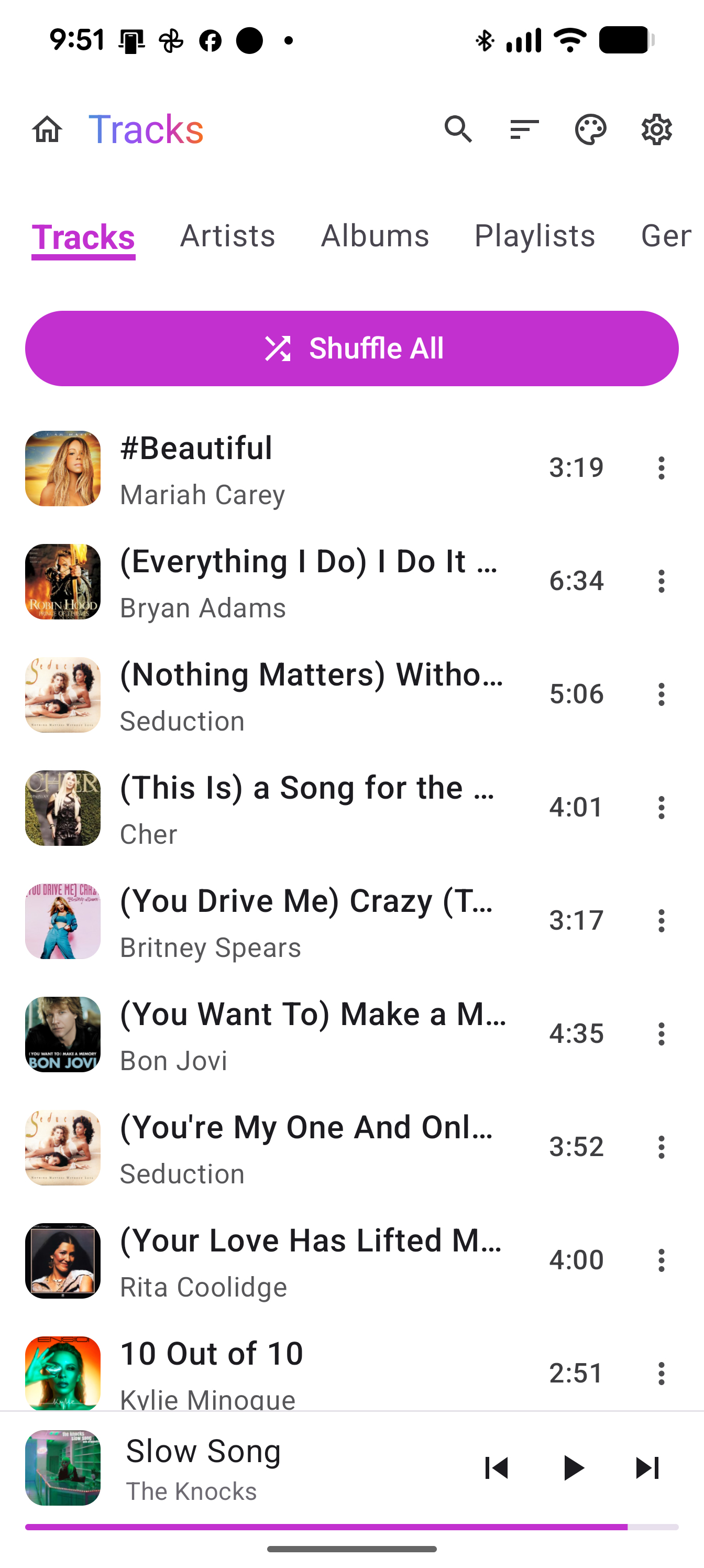
Light Mode
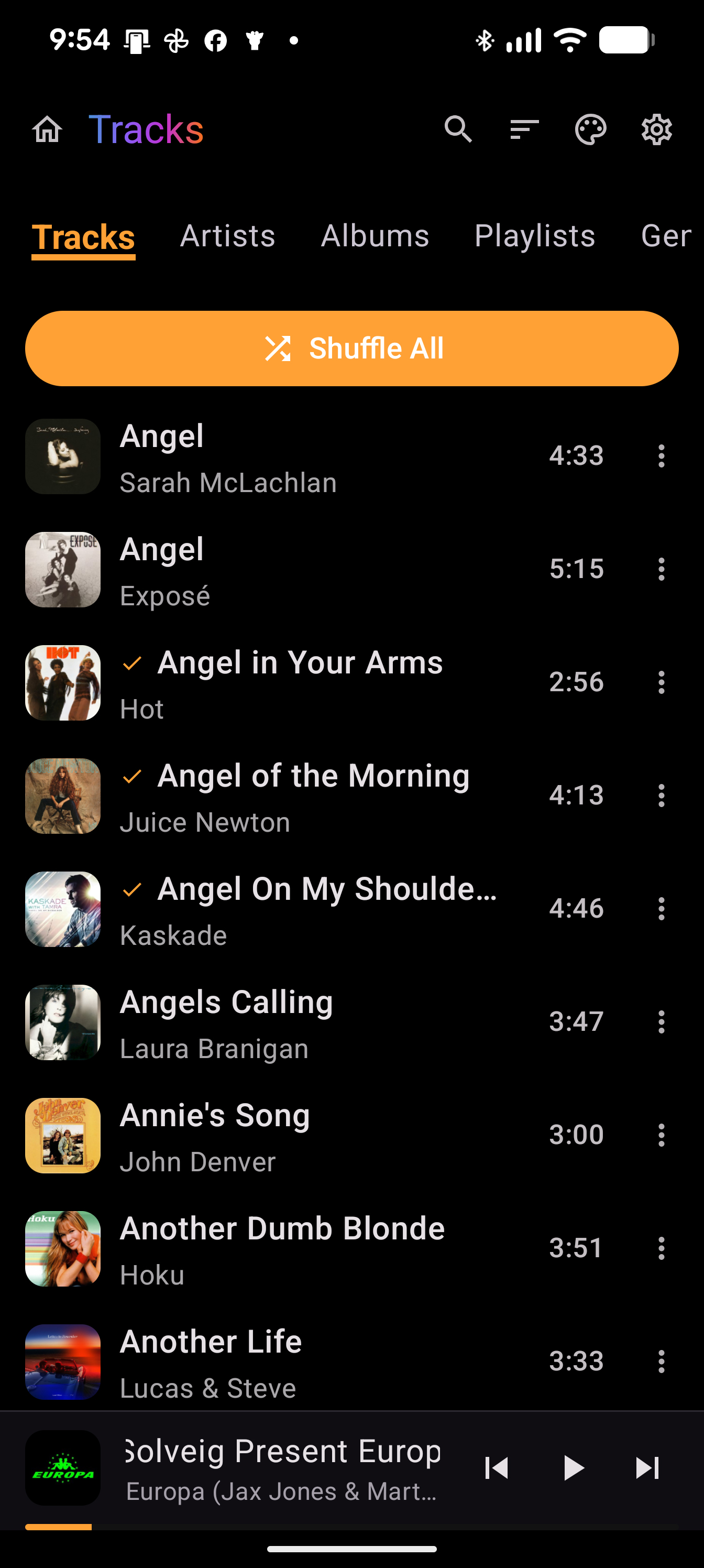
Dark Mode
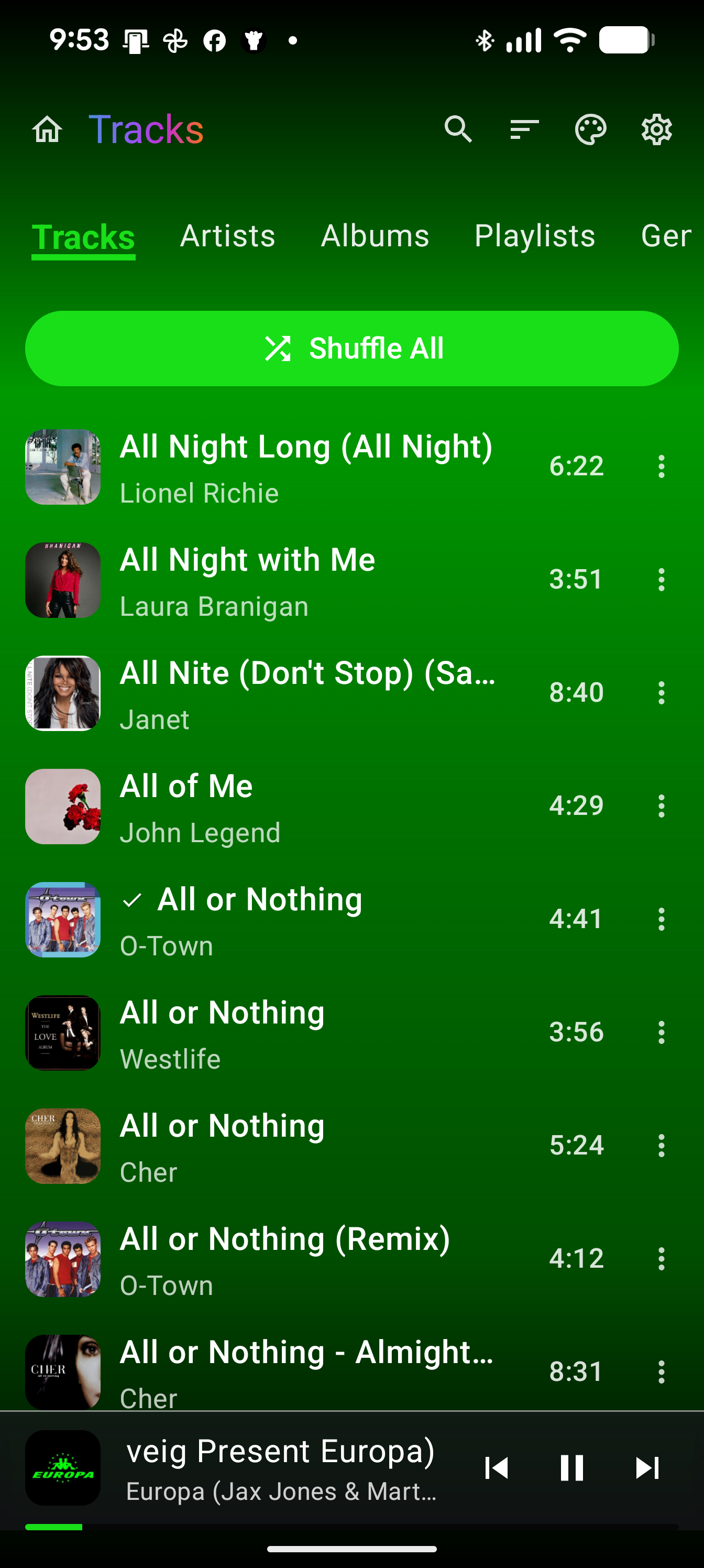
Dynamic Mode
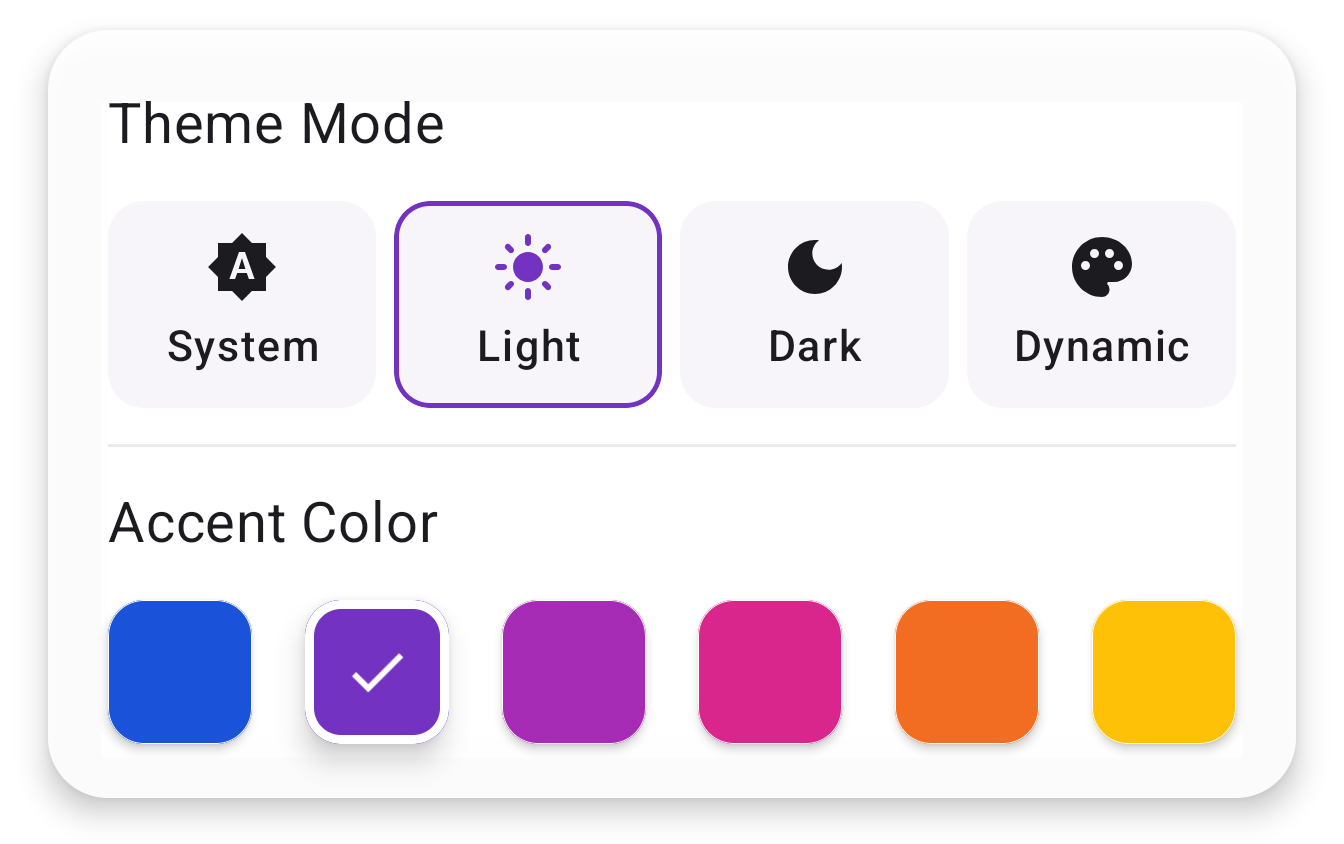
Light Mode Accent Colors
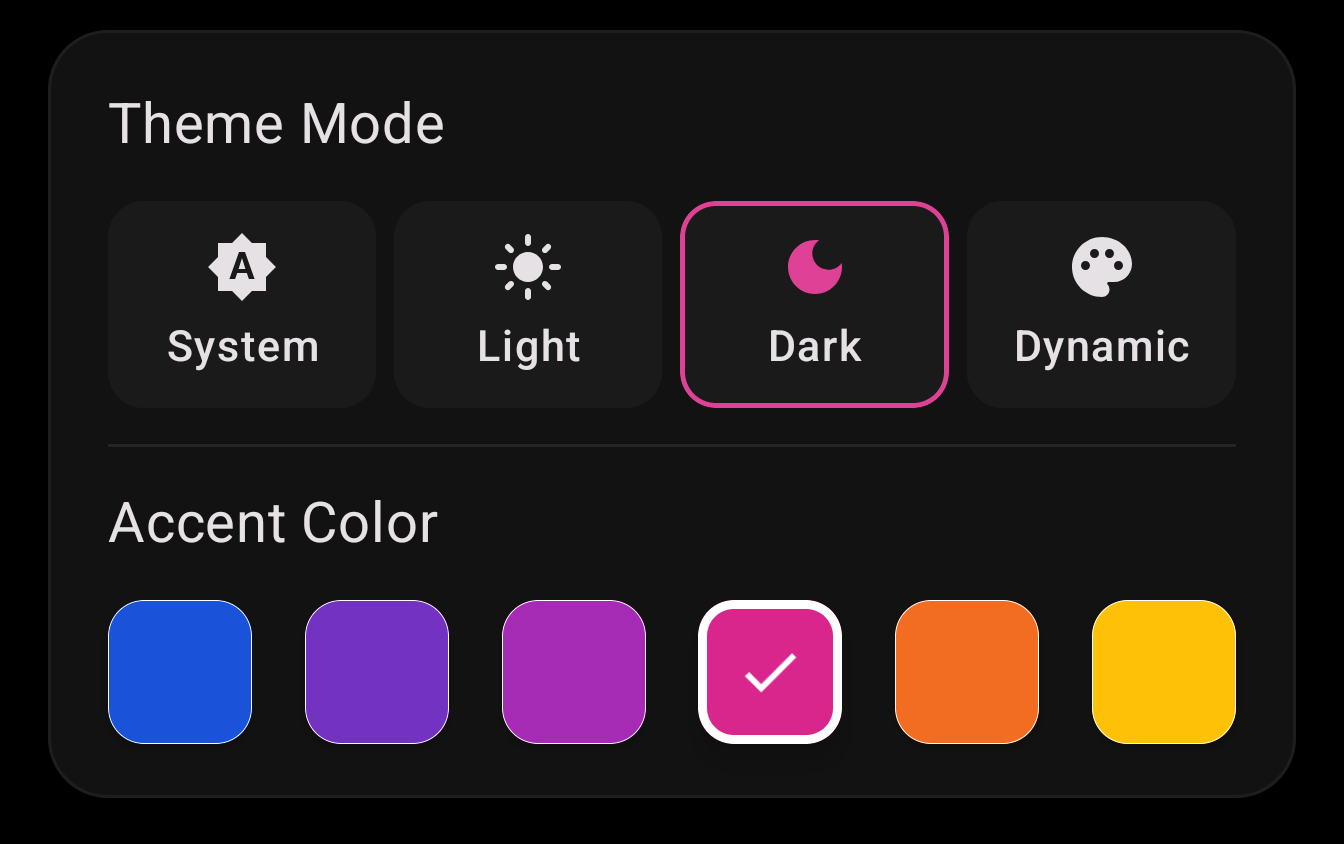
Dark Mode Accent Colors
Built for Your Library
Shuffle Intelligence
Spaces songs from the same artist while balancing genres and eras for a smoother experience.
Throwback
Replay the current song without advancing the shuffle cycle or breaking your flow.
Banish
Permanently exclude a song from shuffle playback while keeping it in your playlists.
Personalization
Choose your accent color to match the UI to your unique style and mood.
Why ShuffleIt™ Exists

ShuffleIt™ wasn't created to chase a tech trend. It was born out of boredom and pure frustration with modern media players.
I tried streaming apps. But what I really wanted was to simply listen to my own music collection. When I tested standard local music apps on my phone, their shuffle algorithms were completely broken. Even with a massive library of over 6,000 songs, those apps kept cycling through the exact same handful of tracks while ignoring the rest of my collection.
I wanted an independent player that actually played everything, ensuring every single song got an equal turn. I also wanted a premium listening experience where tracks faded into each other seamlessly, giving the feel of a custom radio station without a DJ or annoying commercials.
Since nobody else was building it right, I went ahead and built it myself. ShuffleIt™ combines a true non repeating shuffle engine with powerful library management tools, high performance battery efficiency, and absolute user privacy.
William McSpirit
Founder, Intelligent Creative Drive (ICDRIVE LLC)
Private by Design
ShuffleIt™ is completely private by design.
The app plays music already stored on your device and does not collect personal data, track listening behavior, or use analytics or advertising networks.
ShuffleIt™ Tools
Built-in tools for organizing and enhancing your local library. Full-size app screenshots—including these tools—are in ShuffleIt In Action below.

Equalizer
Fine tune your audio with precision controls to match your speakers.

Sleep Timer
Set a timer to automatically fade out your music and preserve your battery life.

Ringtone Cutter
Turn any part of your favorite local track into a custom ringtone in seconds.

Duplicate Finder
Review and remove duplicate candidates in your library.

Batch Auto Tag
Detect and apply metadata fixes in bulk across your library.

Missing Artwork
Automatically find and embed high quality album art for your entire library.

Edit Metadata
View and edit metadata title, artist, and album to keep your library organized.

Replace Album Art
Update embedded artwork to keep albums polished and easy to browse.

Save Lyrics
Save and manage synced or static lyrics directly on your tracks.
ShuffleIt™ In Action
Browse by tracks, artists, albums, years, genres, playlists, and more. Swipe through full-size screenshots—including library tools like Duplicate Finder and Batch Auto Tag. Click any image to view larger.


Start Listening Without Repeats